
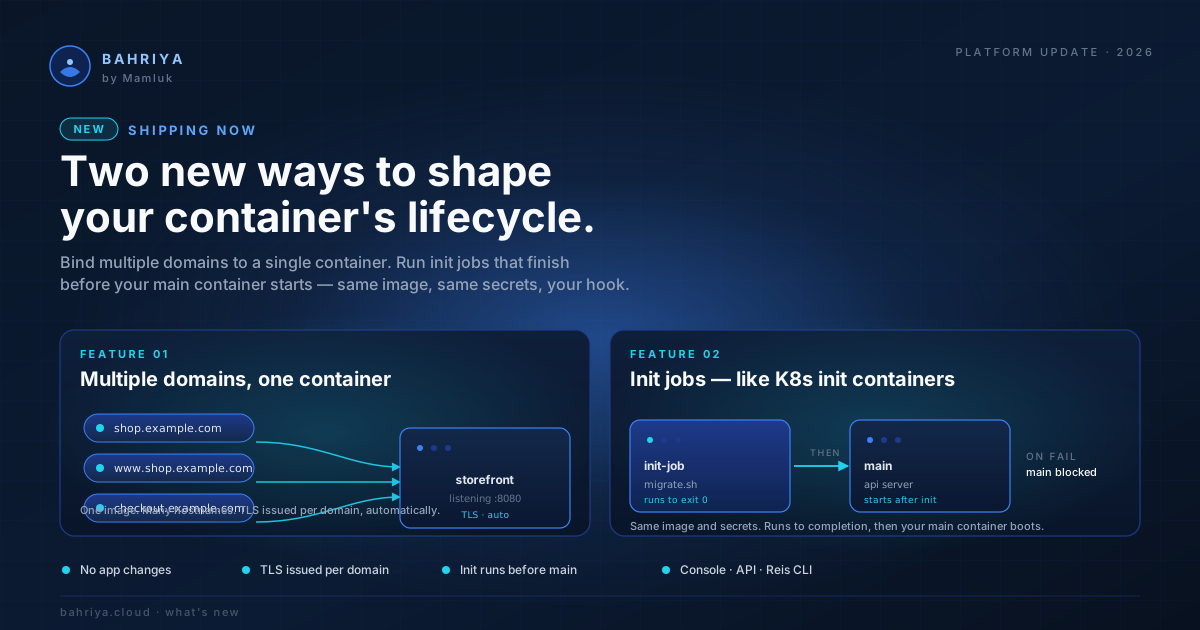
Multiple custom hostnames and init jobs — HTTP containers grow up
HTTP containers on Bahriya now support up to five custom hostnames and ordered init jobs that run migrations and setup before your app starts serving.
Two features today, both aimed at the moments where a deployment stops being a single image and starts being a small system. Multiple custom hostnames on a container, and init jobs that run to completion before your main container starts.
If you've ever run the same app on three branded domains, or stalled a deploy waiting to run a migration by hand, this release is for you.
Up to 5 custom hostnames per container
You can now attach up to 5 custom hostnames to a single HTTP container. The first is included; each additional hostname is $2.50 per month, metered per minute against the time it was actually attached. Add a hostname mid-day and you pay for the hours it was live, not the whole month.
Each hostname carries its own www → apex redirect toggle, only active when the hostname is an apex (e.g. example.com, not sub.example.com or www.example.com). The platform issues a single TLS certificate covering every custom hostname plus its www. variants — so adding or removing a hostname triggers one certificate renewal, not five.
Why it matters:
- Run the same product on multiple brands —
widgets.com,gadgets.io,partners.example— pointing at one container, behind one cert. - Stage a hostname rotation without provisioning a second container — attach the new one, wait for DNS to flip, detach the old.
- Bring multiple acquired brands under one app without a re-architecture.
Hostnames are globally unique across the platform — the first container to claim api.yourcompany.com owns it until it releases it. If you try to attach a hostname another container already holds, you get a clear error telling you which one and where it's in use, not a generic failure. The KB walks through the DNS records you need to point and how the www redirect works under the hood.
Init jobs — run things before your container does
Some workloads need setup. A migration before the app boots. An asset download into a shared volume. A wait for a dependency. Doing that today usually meant an entrypoint shell script, an extra image, or a manual step in deploys.
Init jobs are a first-class part of an HTTP container now. Each container can run an ordered list of up to 3 init jobs that must finish successfully before the main container starts serving traffic.
Each init job has:
- An image (yours, or a public one) — pull through the project's private registries if needed.
- A command and arguments, both as token arrays — same convention as cron jobs and workers.
- Its own environment variables and project secrets.
- An opt-in list of the parent container's volumes, mounted at the same path the main container uses (overridable per init job).
- Optional CPU and memory overrides — leave blank to inherit the main container's request, set them when you need a heavier migration job than the steady-state app.
If an individual init job needs a hard time limit, wrap its command — for example timeout 600 ./migrate --up. The init job exits non-zero on timeout and the pod restarts.
Pricing
Init jobs are included at no extra charge. They run before your main container starts and use the main container's already-reserved CPU and memory — so there is nothing additional to bill for. No per-init-job line on your invoice, no per-minute meter to think about. Run as many as you need (up to the 3-per-container limit) without watching the meter.
Where to start
The KB has the full guide: Init Jobs. The shape from Reis:
container:
  handle: my-api
  image: registry.example.com/my-api:1.0
  lifecycle:
    init_jobs:
      - handle: migrate
        image: registry.example.com/migrator:1.0
        command: [/bin/sh, -c, './migrate --up']
        secrets:
          - { secret: db-password, name: DATABASE_URL }
        volumes:
          - { handle: app-data, mount_path: /var/data }
        cpu: 500
        memory: 1024
      - handle: seed
        image: registry.example.com/seeder:1.0
Where to find both
Both features live under the existing HTTP container form in the console, and they're already in the API, the Reis CLI, and the YAML view. No new endpoints to learn — the same container update you use today.
Two existing customer workflows we expect will retire on the back of this release: the wait-for-init shell wrappers people have been stitching into entrypoint scripts, and the second-container-per-brand pattern for hosting the same app on multiple domains. Both deserved a proper platform answer. Now they have one.
Happy shipping.
From the knowledgebase