
Deploying to 4 regions: Amazon ECS vs Bahriya
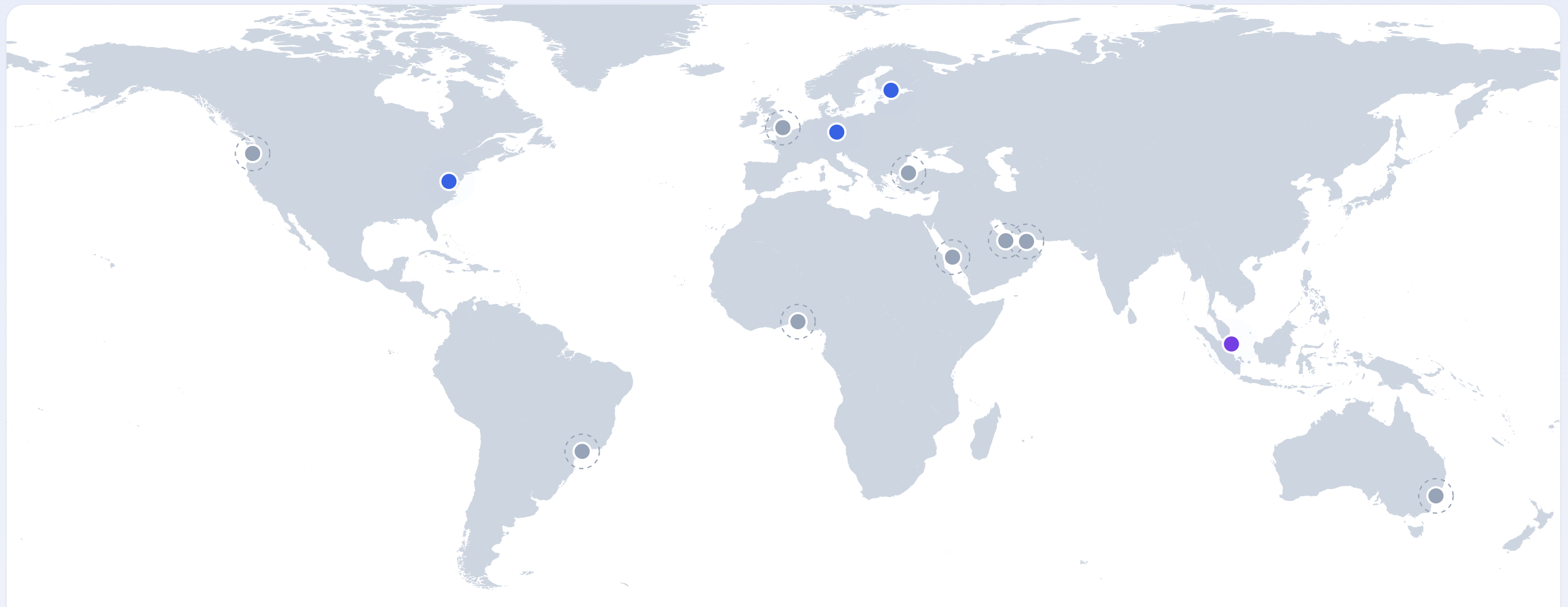
Deploying one container to four regions: roughly 120 to 170 resources on Amazon ECS versus one YAML file and a single command on Bahriya.
You have a containerised application. You want to deploy it to four regions — Europe, US East, US West, and Asia — with autoscaling, TLS, health checks, and DNS routing. This is one of the most common deployment scenarios for any application that serves a global audience.
Let us walk through what this takes on Amazon ECS versus Bahriya.
Amazon ECS: the full picture
To deploy a container to four AWS regions with proper networking, you need to configure the following in each region:
Networking (per region)
- Create a VPC with public and private subnets across at least two availability zones
- Create an Internet Gateway and attach it to the VPC
- Create NAT Gateways in each public subnet (for private subnet internet access)
- Create Route Tables for public and private subnets
- Create Security Groups for the ALB and for the ECS tasks
That is roughly 15-20 resources per region, just for networking. Across 4 regions: 60-80 networking resources.
Container infrastructure (per region)
- Create an ECS Cluster
- Create a Task Definition with your container image, port, CPU, memory, environment variables, and secrets references
- Create an ECS Service linked to the cluster and task definition
- Configure Auto Scaling on the ECS service with a target tracking policy for CPU
- Create an Application Load Balancer with a target group pointing to the ECS service
- Create an ALB Listener on port 443
- Request an ACM Certificate for your domain and wait for DNS validation
- Attach the certificate to the ALB listener
That is another 8-10 resources per region. Across 4 regions: 32-40 container resources.
Secrets (per region)
- Store secrets in AWS Secrets Manager or SSM Parameter Store — per region, because these services are regional
- Configure IAM Roles for the ECS task execution role to allow access to secrets
- Reference secrets in the task definition using ARNs
DNS
- Create a Route 53 Hosted Zone for your domain (if not already done)
- Create Health Checks for each region's ALB endpoint
- Create Latency-based Routing Records or Geolocation Routing Records pointing to each region's ALB
- Configure Failover Records if you want automatic failover
Container registry
- Push your image to ECR in each region (ECR is regional), or set up ECR Replication across regions
- Configure ECR Pull Permissions for each region's task execution role
Total
Across 4 regions, you are looking at:
| Category | Resources (approx.) |
|---|---|
| VPC / Networking | 60-80 |
| ECS / ALB / Autoscaling | 32-40 |
| IAM Roles and Policies | 8-12 |
| ACM Certificates | 4 |
| Secrets Manager entries | 4-20 (depends on secret count) |
| Route 53 records + health checks | 8-12 |
| ECR repositories or replication | 4+ |
| Total | ~120-170 resources |
And this assumes you are using Terraform or CloudFormation. If you are clicking through the console, you are doing this manually in four separate regions — the AWS console does not have a "deploy to all regions" button.
The Terraform code for this setup is typically 500-1500 lines, split across modules for networking, ECS, ALB, DNS, and secrets. A team that has done it before can set this up in a few days. A team doing it for the first time? Weeks.
Ongoing maintenance
Once deployed, you maintain:
- Four sets of infrastructure that can drift independently
- Four ALBs with their own TLS certificate renewals (ACM handles this, but you need to monitor it)
- Regional secret management — update a secret in one region and you need to update it in all four
- ECR image synchronisation — push to one region and replicate or push independently to the others
- IAM policy updates — any permission change needs to be applied in all four regions
- VPC and security group audits across all four regions
Bahriya: the same deployment
On Bahriya, deploying the same container to four regions:
kind: secret
project: my-app
handle: db-password
name: Database Password
value: s3cret-value-here

---

kind: registry
project: my-app
handle: ghcr
name: GitHub Registry
server: ghcr.io
username: myuser
password: ghp_xxxxxxxxxxxx

---

kind: container
project: my-app
handle: api
name: API
image: ghcr.io/myorg/api:v1.0.0
registry: ghcr
regions:
  - falkenstein-1
  - helsinki-1
  - virginia-1
  - singapore-1
workload:
  cpu: "500"
  memory: "512"
  port: "8080"
  healthcheck: /healthz
  env:
    NODE_ENV: production
    LOG_LEVEL: info
  secrets:
    DB_PASSWORD: db-password
scaling:
  replicas: "2"
  max_replicas: "8"
reis apply -f production.ymlThat is it. One file. One command. The result:
- Container deployed to all four regions with autoscaling
- TLS certificates provisioned automatically
- Health checks configured
- GeoDNS or round-robin routing available with a single setting
- DNS failover available with a toggle
- Secrets encrypted and applied to all regions
- Registry credentials applied to all regions
No VPCs to create. No load balancers to configure. No IAM roles to write. No certificate requests to validate. No image replication to set up.
Ongoing maintenance
- Update a secret once — it is applied to all regions on the next deployment
- Push your image to one registry — Bahriya pulls from it in every region
- Change autoscaling settings once — they apply everywhere
- Add a region — add one line to the YAML and re-apply
Side by side
| Concern | Amazon ECS (4 regions) | Bahriya (4 regions) |
|---|---|---|
| Networking setup | ~60-80 resources (VPCs, subnets, gateways, security groups) | None — handled by the platform |
| Load balancing | 4 ALBs + target groups + listeners | Built in |
| TLS certificates | 4 ACM certificates + DNS validation | Automatic via ACME |
| Container deployment | 4 task definitions + 4 services + 4 clusters | One container resource |
| Autoscaling | 4 scaling policies | One autoscaling config |
| Secrets | Per-region Secrets Manager + IAM | One secret, applied everywhere |
| DNS routing | Route 53 health checks + routing records | Toggle: geo, round-robin, or none |
| DNS failover | Route 53 failover records + health checks | Toggle on the container |
| Registry credentials | Per-region ECR or cross-region replication | One registry, applied everywhere |
| Infrastructure code | 500-1500 lines of Terraform | 40 lines of YAML |
| Time to first deployment | Days to weeks | Minutes |
| Ongoing operational overhead | High — 4 independent stacks | Minimal — one config, one command |
When ECS is the right choice
To be fair, ECS gives you things Bahriya does not:
- Deep AWS integration — if your application depends heavily on Lambda, SQS, DynamoDB, or other AWS services, ECS is the natural fit
- Fine-grained networking control — if you need custom VPC peering, PrivateLink, or specific security group rules, ECS gives you full control
- Compliance requirements — some industries require specific AWS configurations for compliance (FedRAMP, HIPAA BAAs, etc.)
- Massive scale — if you are running thousands of containers across dozens of regions, AWS's ecosystem is built for that scale
When Bahriya is the right choice
Bahriya is built for teams that:
- Want to deploy containers globally without becoming infrastructure experts
- Have a containerised application that needs to run in multiple regions
- Want autoscaling, TLS, DNS routing, and secrets management as defaults, not as configuration exercises
- Prefer predictable, transparent pricing over AWS's calculator-required pricing model
- Value operational simplicity over maximum configurability
The question is not which platform is more powerful. The question is how much of that power you actually need — and how much of your engineering time you want to spend on infrastructure versus your actual product.
From the knowledgebase