
MySQL in Reis and Terraform
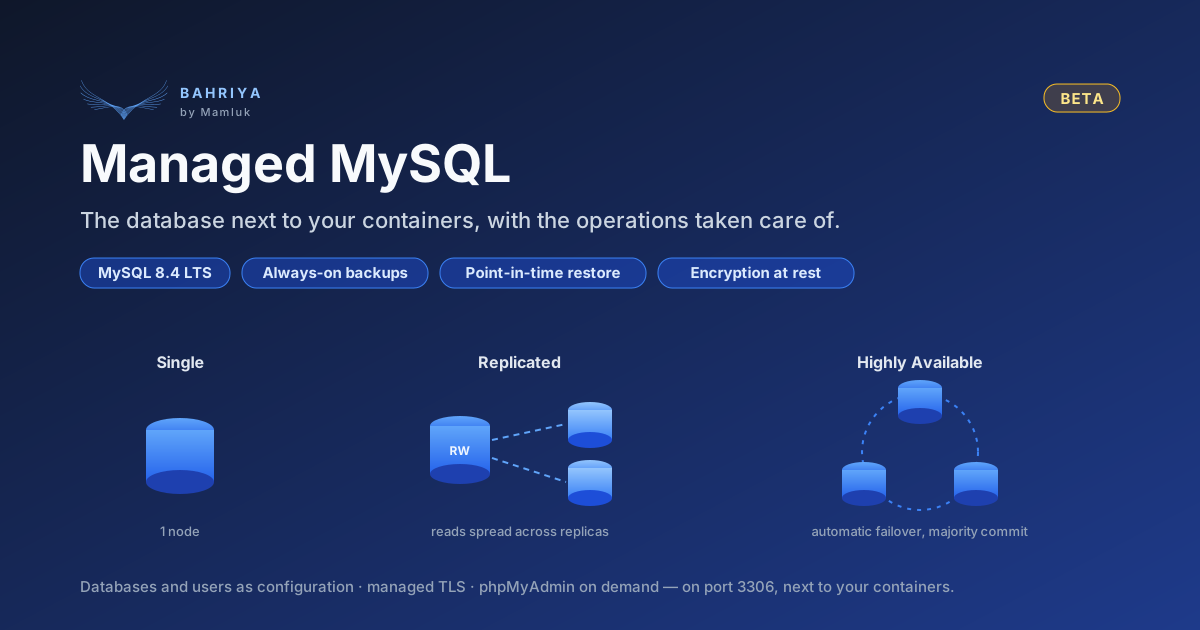
Organisations in the managed MySQL beta can now create and manage MySQL instances with the Reis CLI and the Terraform provider, as well as from the console. Reis 1.2.0 and Terraform provider 0.4.0 are out.
When managed MySQL entered beta we said that it would be managed from the console only, and that Reis and Terraform support would follow. It is available from today. If your organisation is in the MySQL beta, you can now create and manage your instances from the Reis CLI and the Terraform provider, and keep them in version control alongside the containers that use them.
You need Reis 1.2.0 and Terraform provider 0.4.0 or later.
Joining the beta
MySQL is still in beta and is enabled per organisation. If yours is not enrolled yet, open a ticket in the console under Support → Tickets and ask for MySQL to be enabled. Until it is, MySQL requests from Reis and Terraform fail with Not found, just as the console does not show MySQL.
Terraform
An instance is a bahriya_mysql resource. Databases and the users that own them are part of its configuration:
terraform {
  required_providers {
    bahriya = {
      source  = "bahriya-cloud/bahriya"
      version = "~> 0.4"
    }
  }
}

resource "bahriya_mysql" "orders" {
  handle        = "orders-db"
  name          = "Orders DB"
  tier          = "single"
  cpumillicores = 1000
  memorymb      = 2048
  storagegb     = 20
  activeregions = ["falkenstein-1"]
  project       = bahriya_project.app.id
  tlsenabled    = true

  databases = [
    { name = "orders", username = "orders-app" },
  ]
}
Add an entry to databases and the next terraform apply creates it on the running instance. Remove one and the plan shows it being dropped, with its user and its data, so read the plan before you apply.
Passwords never reach your configuration or your state. The platform generates them and keeps them in your vault, and a container in the same project references one like any other secret. With TLS on, the new bahriya_tls_bundle data source reads the instance's CA certificate, so clients that verify the server can be configured from the same Terraform run:
data "bahriya_tls_bundle" "orders" {
  handle = bahriya_mysql.orders.tlsbundle
}Reis
The same instance is one command:
reis mysql:create \
  --project my-project \
  --name "Orders DB" \
  --handle orders-db \
  --databases orders:orders-app \
  --regions falkenstein-1
Or one YAML file through reis apply:
kind: mysql
project: my-project
handle: orders-db
name: Orders DB
tier: single
regions:
  - falkenstein-1
databases:
  - name: orders
    username: orders-app
Reis also covers the things that are actions rather than configuration:
reis mysql:credentialsreveals therootpassword or a database user's password, and--rotatereplaces it.reis mysql:backupslists the database dumps and each region's point-in-time recovery window.reis mysql:restorerestores to any second inside that window, into a new instance, while the original keeps serving traffic.reis mysql:rotate-keyrotates the encryption master key, andreis mysql:replace-caissues a new certificate authority for the instance's TLS certificate.reis tls_bundle:show orders-db-tls --ca > orders-db-ca.pemsaves the CA certificate for--ssl-ca.
Deploy MySQL with YAML · Deploy MySQL with flags · Command reference
Also in these releases
- Vault versions at a glance. Every Reis vault and config list now shows each item's current version, for example
v2 of 3, and when it was last rotated. In Terraform, the eleven versioned vault and config resources exposeversioncountalongsidecurrentversion. - Memcached. A Memcached instance managed by a container now reports that container's name in the provider, as
managedbycontainername. - Corrected Terraform examples. Some examples in the Terraform documentation used attribute names the provider does not accept. They have been corrected, and each one has been checked with
terraform validate.
Upgrading
- Reis:
brew upgrade reis, or re-run the installer. See Updating. - Terraform: set
version = "~> 0.4"inrequired_providers, then runterraform init -upgrade. Existing configurations need no changes.
We would like to hear how MySQL works for you from Reis and Terraform. Feedback is welcome on your beta ticket.
From the knowledgebase